
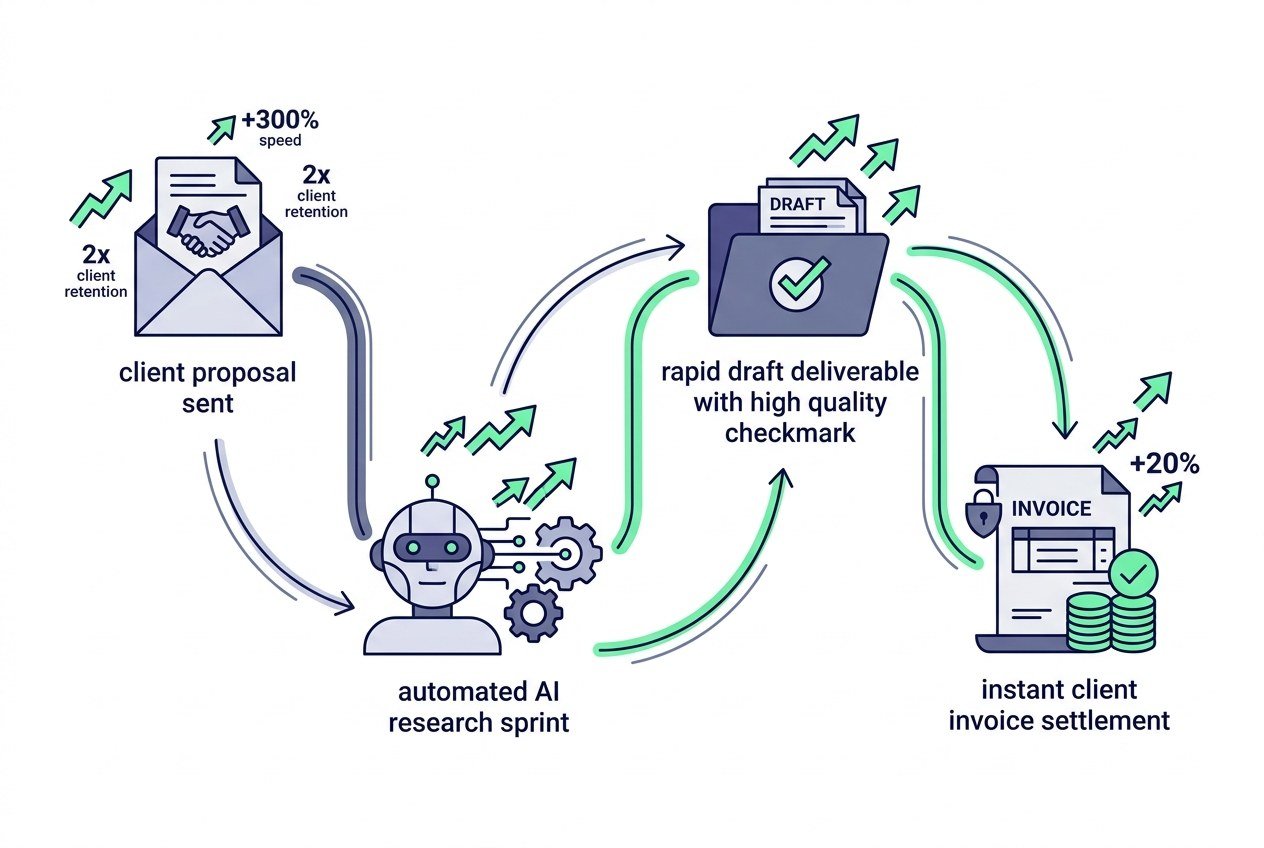
The best AI tools for freelancers in 2026 are Claude 3.7 Sonnet for complex writing and coding, Perplexity Pro for real-time research, Otter.ai for client meeting transcription, Notion AI for project documentation, Midjourney v6 for visual assets, and Descript for video editing. Freelancers using these tools complete client deliverables 3x faster, increase monthly capacity, and raise their effective hourly rate from $50/hr to over $150/hr without hiring subcontractors.
Freelancing has fundamentally changed. In the past, earning more money meant working longer hours, charging higher hourly rates, or managing subcontracted junior staff. In 2026, solo freelancers are operating like boutique agencies because artificial intelligence handles the tedious research, initial drafting, and administrative overhead.
The top 10% of freelancers are not using AI to replace their creativity or produce generic robotic text. They use specialized AI applications as high-speed research assistants, second-brain editors, and automated administrative coordinators. This allows them to focus 90% of their energy on high-level strategy and client communication.
If you are still writing proposals from scratch, manually transcribing 45-minute discovery calls, or spending three hours formatting spreadsheets, you are burning billable hours. Here are the essential AI tools top-earning freelancers use every day.
Key Takeaways
Summary at a glance
- ✓
Speed Multiplier: AI tools reduce research, drafting, and meeting follow-up time by 60% to 75% across writing, coding, and design. - ✓
Core Writing & Thinking: Claude 3.7 and ChatGPT Plus remain the industry standard for copywriting, code generation, and client email drafting. - ✓
Client Call Automation: Otter.ai and Fireflies summarize Zoom calls into action items and ready-to-send recap emails in 30 seconds. - ✓
Value-Based Pricing: Never bill by the hour when using AI. Bill flat project rates or monthly retainers to capture the full value of your speed.
Top AI Tools for Freelancers Ranked by Category
Instead of subscribing to twenty random apps, build a lean stack covering five core business operations: research, content creation, meeting notes, project management, and visual design.
| Tool | Primary Function | Monthly Price | Best For |
|---|---|---|---|
| Claude (Anthropic) | Long-form writing & code | $20/mo | Copywriters, content creators, developers |
| Perplexity Pro | Real-time web research | $20/mo | Marketers, SEO consultants, researchers |
| Otter.ai | Meeting transcription & summaries | $10 – $20/mo | Consultants, client account managers |
| Notion AI | Workspace & proposal docs | $10/mo | Project managers, designers, writers |
| Midjourney / Canva AI | Visuals & brand assets | $10 – $30/mo | Graphic designers, social media managers |
| Descript | AI audio & video editor | $12 – $24/mo | Video editors, podcasters, YouTubers |
1. AI Writing and Reasoning: Claude 3.7 & ChatGPT
For any freelancer whose work involves writing, strategy, or coding, a subscription to Claude or ChatGPT is mandatory.
Claude stands out for long-form content and nuanced brand voice adaptation. It avoids the stiff, predictable phrasing that common AI models produce. Freelance writers use Claude to analyze 5 samples of a client’s published articles, extract the tone guidelines, and produce first drafts that match the client’s style accurately.
Developers use Claude to debug API integrations, generate unit tests, and convert design mockups into functional HTML and Tailwind CSS components in minutes.
2. Deep Market Research: Perplexity Pro
Traditional Google search has become clogged with affiliate listicles and sponsored ads. For freelancers conducting competitive intelligence or market research, Perplexity Pro saves hours of manual web scraping.
Perplexity provides factual, sourced summaries of recent market data, competitor pricing matrices, and technical documentation. If a client in the renewable energy sector asks for a strategy brief on recent tax incentive changes, Perplexity synthesizes government filings, industry publications, and news articles with citations in seconds.
This allows freelance consultants to walk into discovery calls armed with deep, specific domain knowledge that immediately builds authority.
3. Client Call Transcription: Otter.ai & Fireflies
Taking manual notes during a 45-minute discovery call divides your attention. You end up looking at your notepad rather than listening actively to the client’s business problems.
Tools like Otter.ai join your Zoom or Google Meet calls automatically, record the conversation with speaker identification, and generate structured summaries with key decisions, deadlines, and action items.
Within 5 minutes of ending a call, you can paste the summary into an email: “Hi Sarah, great speaking today. Here is a recap of the 4 deliverables we agreed on and our timeline for next week.” Clients love this level of organization, and it virtually eliminates scope creep.
4. Workspace and Client Portals: Notion AI
Notion is already the preferred workspace for thousands of freelancers. With native Notion AI integration, it becomes an automated administrative hub.
Freelancers use Notion AI to:
- Generate client proposals from standard template databases in under 3 minutes
- Summarize messy project timelines into clean status update emails
- Create client onboarding portals with interactive checklists and contract links
- Extract action items from raw meeting notes directly inside project boards
Setting up clean, professional Notion portals makes your solo operation feel like a structured, high-end agency.
5. Graphic Design and Visuals: Midjourney & Canva AI
You do not need to be a full-time graphic designer to produce professional visual assets for client presentations, blog featured images, or social media campaigns.
Midjourney v6 excels at custom editorial illustrations, concept mockups, and high-resolution commercial imagery. Pair it with Canva Magic Studio for quick text overlays, background removal, and branded slide decks.
Content marketers and social media freelancers can package 30 days of custom graphics, carousel slides, and header banners in a single afternoon.
How to Price Your Freelance Services When Using AI
The biggest trap for freelancers adopting AI is continuing to bill by the hour. If a project that previously took 10 hours now takes 2.5 hours with AI assistance, billing $75/hour cuts your income from $750 down to $187.50 for the exact same deliverable.
Switch to flat project pricing or monthly retainers immediately:
- Project-based pricing: Charge for the business value of the deliverable (e.g., $1,500 for a 5-page website rewrite or $2,500 for a market research brief).
- Monthly retainers: Bill $1,500 to $4,000 per month for ongoing deliverables. Learn more about structuring retainers in our guide on how to start a digital agency.
- Value metrics: Anchor your prices to the client’s upside (e.g., helping them sign 2 new consulting clients worth $10,000).
When you bill for outcomes rather than hours, AI speed becomes pure profit margin for your business.
If you are building your independent income stream while holding a 9-to-5 job, check out our blueprint on how to make extra income while working full time or learn how to become a freelance SEO consultant.
FAQ: AI Tools for Freelancers
Will AI replace human freelancers?
AI will not replace freelancers, but freelancers who master AI tools will replace those who do not. Clients hire freelancers for judgment, critical thinking, accountability, and communication. AI handles the mechanics of drafting and data gathering, allowing freelancers to deliver better strategic results in less time.
Should I tell clients that I use AI tools?
Position AI as part of your modern technology stack. You do not need to disclose every software tool you use (just as designers do not ask permission to use Photoshop or Grammarly), but always guarantee 100% original, verified, and tailored final deliverables. Focus on the quality of the end result.
How much should a freelancer spend on AI tools each month?
A high-performance freelancer AI stack costs between $50 and $100 per month. A typical setup includes Claude Pro ($20), Perplexity Pro ($20), Otter.ai ($10), and Notion AI ($10). This modest investment easily pays for itself by saving 15 to 25 billable hours every single week.
What is the best AI tool for freelance developers?
Claude 3.7 Sonnet (or Claude Code in terminal) and GitHub Copilot are the top choices for developers in 2026. Claude excels at complex system architecture, multi-file refactoring, and debugging, while Copilot provides fast inline code autocompletion inside VS Code.
Can beginners use AI tools to start freelancing with no experience?
AI gives beginners a massive head start in research and drafting, but you still need foundational domain knowledge. Pick a specific skill like copywriting, SEO analysis, or web design, use AI to accelerate your learning curve, and complete 3 spec projects to build your portfolio before pitching clients.
The Bottom Line
AI tools are the great equalizer for independent creators and freelancers. They eliminate the administrative friction that used to hold solo operators back from competing with established agencies.
Pick two core tools this week, integrate them deeply into your daily workflow, switch to fixed-rate project pricing, and use the extra time to pitch more high-value clients.
Explore our full AI Tools and Make Money Online hubs on Musaholic Magazine for more software reviews, income blueprints, and productivity guides.