
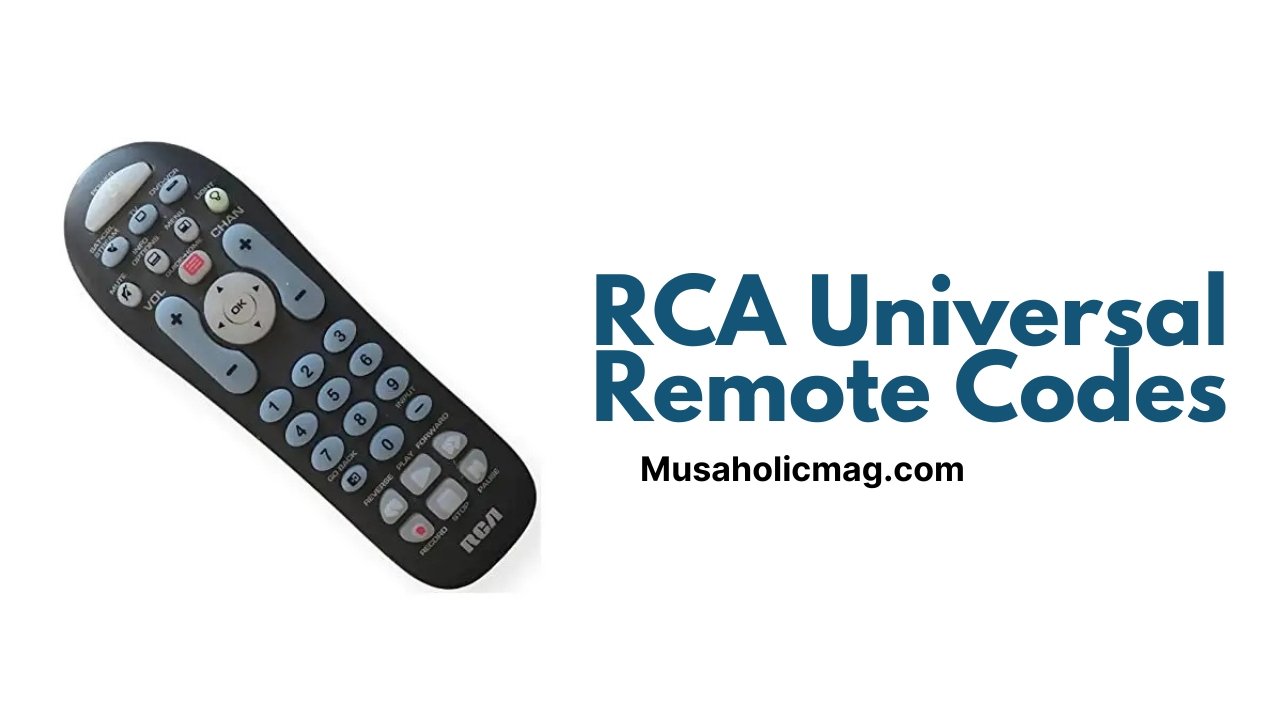
If you’ve ever struggled with programming your RCA universal remote to control multiple devices, you’re not alone. Whether it’s for your TV, DVD player, or streaming box, finding the right codes can sometimes feel like a frustrating task. However, with this comprehensive guide, you’ll quickly learn how to program your RCA universal remote to control all of your devices effortlessly. We’ll cover everything from how to find and enter the correct codes to troubleshooting common issues, ensuring you get the most out of your remote.
What is an RCA Universal Remote?
An RCA universal remote is a device that allows you to control multiple electronic devices, such as TVs, soundbars, DVD players, and streaming devices, all with one remote. Instead of juggling multiple remotes, you can program your RCA remote to manage all of your devices with ease. This is especially useful in homes with a lot of electronics, where keeping track of each remote can be a hassle.
Why Use an RCA Universal Remote?
There are several reasons why an RCA universal remote is a popular choice for many consumers:
Convenience: With the ability to control multiple devices with a single remote, you eliminate the need to keep track of several different remotes.
Space-saving: Less clutter and fewer remotes on your coffee table or entertainment center.
Cost-effective: Instead of buying separate remotes for each device, one RCA universal remote can work with all your electronics.
Easy to program: With a few simple steps, you can quickly program the RCA universal remote to work with your TV, soundbar, DVD player, and more.
How to Program Your RCA Universal Remote
Step 1: Gather Your Remote Codes
Before you begin programming, you’ll need the correct codes for the devices you want to control. RCA universal remotes come with a list of device codes for various brands. You can typically find these codes in the instruction manual, on the back of the remote’s packaging, or online.
For example, if you’re programming the remote for a Samsung TV, you would need the Samsung TV code, which is usually a 3-4 digit number. You can find these codes in the RCA universal remote code list for Samsung devices.
Step 2: Turn on Your Device
Ensure that the device you wish to control (e.g., your TV, DVD player, or streaming box) is powered on. You can’t program the remote if the device is off.
Step 3: Enter the Code Search Mode
To start the programming process, follow these steps:
Turn on the RCA Universal Remote: Press and hold the “TV” button (or the button for the device you’re programming) on the remote.
Enter Programming Mode: Press and hold the “Power” button until the device button (e.g., TV) blinks twice, then release the “Power” button.
Initiate Code Search: Press and release the “Play” button (or another button depending on the device type). The remote will begin searching for the correct code.
Step 4: Enter the Device Code
Once the remote begins searching for the right code, enter the code for your device. After entering the correct code, the device should respond by turning off (for a TV, for example). If the device turns off, you’ve successfully programmed the remote. If it doesn’t work, repeat the process using the next code in the list.
Step 5: Test the Remote
Once you have entered the correct code, test the remote by turning the device back on and checking if it controls the volume, channels, and power functions. If everything works as expected, you’re all set!
If it doesn’t work, refer to the RCA remote’s code list and try the next code until you find the one that works for your device.
Common RCA Universal Remote Codes
Here’s a list of commonly used RCA universal remote codes for popular brands. Use these codes for easy programming:
For TVs
Samsung: 12051, 10178, 10812
LG: 11560, 10178, 10702
Sony: 11314, 11300, 10000
Vizio: 11758, 10178, 10093
TCL: 11864, 10017, 11879
For DVD Players
Panasonic: 11056, 11100, 10007
LG: 11332, 11663, 10326
Sony: 11314, 10000, 10650
For Soundbars
Vizio: 11758, 10093, 10178
Bose: 11943, 10178, 11845
Samsung: 12051, 11647, 10178
For Streaming Devices
Roku: 11756, 10093, 11864
Apple TV: 12051, 10812, 10178
Troubleshooting Common Issues
If you’re having trouble getting your RCA universal remote to work with your devices, here are some tips to troubleshoot common problems:
1. The Remote Isn’t Responding
If the remote isn’t responding to commands, make sure the batteries are fresh and inserted correctly. If you’ve recently changed the batteries, try resetting the remote by removing the batteries and pressing all the buttons to discharge any stored energy before reinserting the batteries.
2. Programming Code Won’t Work
If the code you entered doesn’t work, try the following:
Double-check the code: Make sure you’re using the correct code for your device brand and model.
Use the code search method: If the direct code entry method fails, use the remote’s search function to find the correct code automatically.
Try a different code: If one code doesn’t work, try the next one in the list.
3. Remote Control is Not Pairing with the Device
Ensure the device is turned on and in the correct mode for programming. Some devices may need to be in “programming” or “set-up” mode. Check the user manual for specific instructions related to your device.
Tips for Maximizing Your RCA Universal Remote’s Functionality
Use the RCA Remote’s Learning Function: If you have a device that isn’t listed in the code list, use the RCA remote’s learning function to teach it the correct commands.
Label Your Remote: With multiple devices, it can be easy to forget which button controls what. Label your remote’s buttons or use a small piece of tape to mark each device.
Keep Your Codes Handy: Always have your remote codes stored in a place you can easily access, such as in a phone note or printed out.
Conclusion
Programming an RCA universal remote doesn’t have to be difficult. With the right codes and a little patience, you can easily set up your remote to control multiple devices. Whether you’re managing your TV, DVD player, or soundbar, an RCA universal remote is a cost-effective solution to streamline your entertainment system.
