
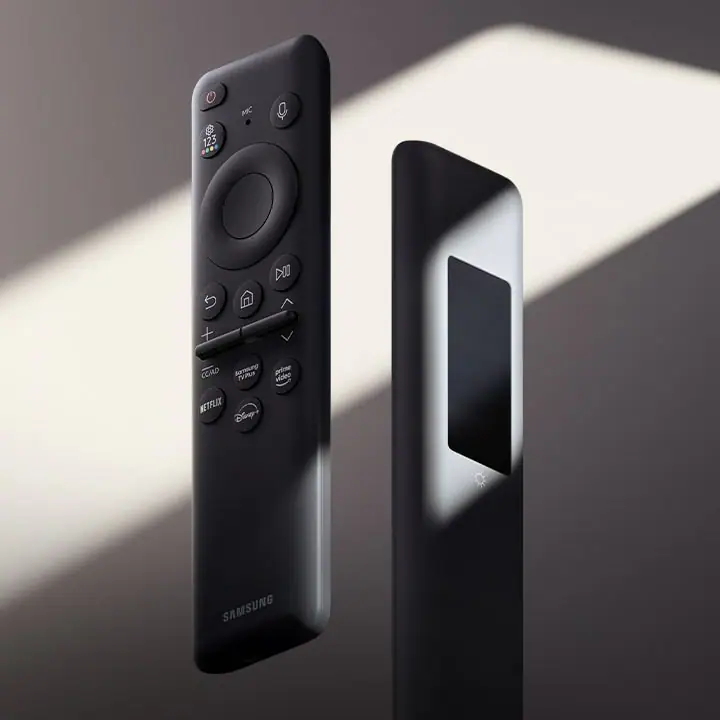
Samsung remote codes are a vital tool for controlling your TV, soundbar, or other Samsung electronics. Whether you’re setting up a universal remote or troubleshooting an issue with your current remote, understanding these codes can make all the difference. In this guide, we’ll walk you through everything you need to know about Samsung remote codes, including how to use them, where to find them, and how to solve common problems.
What Are Samsung Remote Codes?
Samsung remote codes are a set of numbers used by universal remote controls to communicate with various Samsung devices, including TVs, Blu-ray players, soundbars, and other electronics. These codes are essential for programming universal remotes to control Samsung devices, allowing you to consolidate your devices into a single remote.
Universal remotes can be programmed to work with multiple brands and devices. However, for them to properly sync with your Samsung device, the remote needs the correct code.
Types of Samsung Remote Codes
Samsung TV Remote Codes
These codes are specifically used for Samsung televisions. There are a variety of codes based on the model of the TV, whether it’s a Smart TV, 4K, or older models.Samsung Soundbar Remote Codes
If you have a Samsung soundbar, you’ll need the correct soundbar remote codes for optimal control. These codes allow your universal remote to control the volume, input, and power settings of your soundbar.Samsung Blu-ray Player Codes
To control your Samsung Blu-ray player with a universal remote, you must enter the correct code. This ensures functions like play, pause, stop, and skip track are correctly mapped to your remote.Samsung Other Electronics Codes
Samsung manufactures a wide range of electronics, including DVD players, home theater systems, and other devices. Each product has its own set of codes to ensure your universal remote works effectively.
How to Find Samsung Remote Codes
Samsung remote codes are typically provided in the manual that comes with your universal remote. However, if you have misplaced your manual or need a quick reference, there are several online resources to find the correct codes.
Common Samsung Remote Codes
Here are a few common Samsung remote codes for TVs and soundbars:
Samsung TV Remote Codes:
10812
10178
10060
10702
Samsung Soundbar Codes:
31660
31038
31371
31990
Samsung Blu-ray Player Codes:
10217
10156
10178
Keep in mind that these codes may not work for every model. If you’re having trouble, you can refer to a comprehensive code list available on the manufacturer’s website or universal remote code databases.
How to Program Your Samsung Remote
Programming your Samsung remote with the correct codes can be done easily by following these steps:
Turn on Your Samsung Device
Make sure your Samsung TV, soundbar, or Blu-ray player is turned on and ready for programming.Prepare Your Universal Remote
Ensure your universal remote has fresh batteries and is compatible with your Samsung device.Enter the Setup Mode
For most universal remotes, press and hold the “Setup” button until the red indicator light turns on.
Release the “Setup” button.
Press and release the device button (TV, DVD, AUX, etc.) that corresponds to your Samsung device.
Enter the Samsung Remote Code
Using the number pad on the remote, enter the 4-digit Samsung code for your device. If the code is correct, the red indicator light should turn off.Test the Remote
Point the remote at your Samsung device and press the power button. If the device turns off, the setup is successful. If not, repeat the process with the next code in the list.Search for Codes Automatically
If you don’t have a code or the code doesn’t work, most universal remotes have an automatic code search function:Press and hold the “Setup” button until the red indicator light turns on.
Press and release the “TV” button.
Press and release the “Power” button.
Press the “Up” or “Down” arrows repeatedly until the TV turns off.
Press the “Enter” button to store the code.
Common Problems with Samsung Remote Codes
While using Samsung remote codes, you may encounter a few common issues. Below are some troubleshooting tips to help you resolve these problems:
1. The Remote Isn’t Working with the TV
If the universal remote isn’t working with your Samsung TV, it could be due to the following:
Incorrect Code: Double-check that you’re using the correct Samsung remote code for your specific model.
Weak Batteries: Replace the batteries in your universal remote to ensure it has enough power.
Interference: Ensure there are no objects blocking the path between the remote and the Samsung device.
2. The Remote Works Intermittently
If the remote works sporadically, it could be due to:
Distance: Ensure you’re within range of your Samsung device.
Sensor Issues: Make sure the sensor on the TV or device is clean and unobstructed.
Interference from Other Devices: If there are other remotes or electronic devices nearby, try moving them to a different location to avoid interference.
3. Universal Remote Not Responding to Volume Control
If the volume control doesn’t work properly, you may need to:
Reprogram the Soundbar Code: Sometimes, the soundbar code may need to be re-entered to ensure proper functionality.
Check Soundbar Settings: Verify that the soundbar is correctly set to work with the universal remote.
4. Device Is Not Responding to Remote at All
If your device doesn’t respond at all, try the following:
Double-Check Codes: Make sure you’ve entered the correct code for your specific device.
Manual Code Search: If you’re unable to find the correct code, use the manual code search method to find the right one.
How to Troubleshoot Samsung Remote Control Problems
1. Reset Your Remote
If the remote isn’t working properly, reset it by removing the batteries and holding the power button down for 30 seconds. After that, replace the batteries and try programming the remote again.
2. Check for Interference
Other electronic devices, such as LED lights, can sometimes cause interference with your remote signal. Try moving these devices away from your Samsung TV and remote to avoid this issue.
3. Use the Correct Brand Code
Many universal remotes offer a list of codes for each brand, including Samsung. Make sure you’re selecting the right code, as using a code for a different brand will prevent the remote from working correctly.
4. Update the Remote’s Software
If your universal remote is smart or programmable, ensure that its software is up to date. Check the manufacturer’s website for firmware updates and follow their instructions to upgrade your remote.
Conclusion: Your Samsung Remote Code Success
With the right Samsung remote code and proper setup, you can easily control your Samsung TV, soundbar, or other devices with a single remote. Remember to follow the programming steps carefully and use the correct code for your device model. If you’re still having issues, don’t hesitate to use the automatic search function or consult the user manual for troubleshooting tips.
